
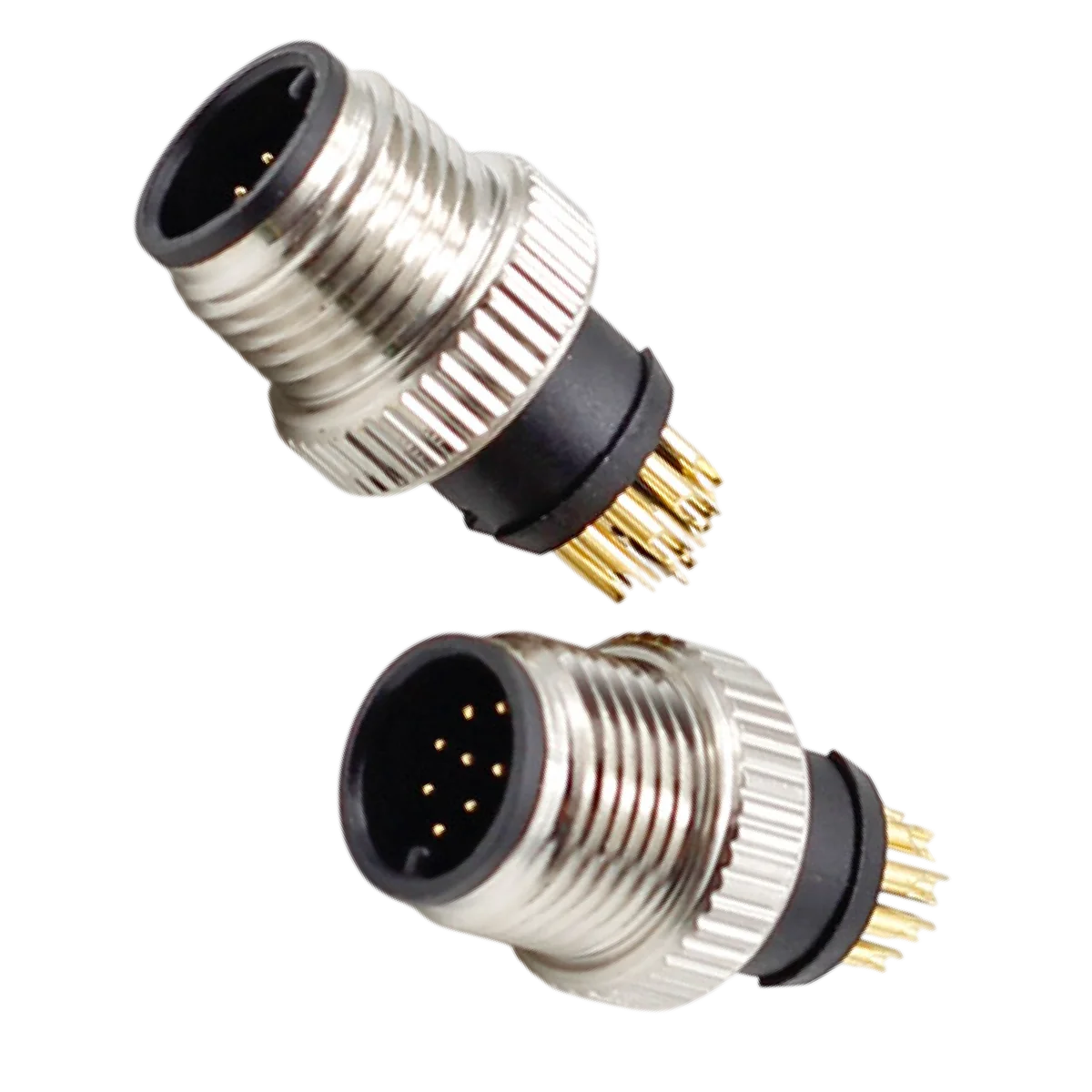
Starlink Cables play a crucial role in delivering reliable internet by connecting the satellite dish to the router and other devices. Understanding the different types and lengths of these cables can enhance the overall performance of the Starlink system. This article explores various Starlink cable types, their compatibility, and how cable choice affects connectivity. Proper cable selection ensures optimal performance and longevity, allowing users to maximize their Starlink experience.
Understanding Starlink Cable Types
Knowing the different types of Starlink cables is crucial for optimizing your setup. Each type serves a unique purpose, from connecting the dish to the router to providing reliable power and data transfer.
Dish-to-Router Cables
The Dish-to-Router cable is the backbone of the Starlink system, connecting the satellite dish to the router while facilitating data transmission and power supply.
Power over Ethernet Technology
This advanced technology allows the Dish-to-Router cable to deliver both power and data. By utilizing Power over Ethernet (PoE), these cables eliminate the need for a separate power supply line, simplifying installation.
Cable Shielding for EMI Protection
Starlink Dish-to-Router cables feature robust shielding designed to protect against electromagnetic interference (EMI). This shielding is vital in ensuring that the data signal remains strong and unaffected by external electronic devices.
Weather Resistance and Durability
The cables are built to withstand harsh environmental conditions. Designed for outdoor use, they are resistant to rain, snow, and UV exposure, ensuring a reliable connection regardless of weather conditions. This durability is key to maintaining connection integrity over time.
Ethernet Cables for Starlink
Ethernet cables play a significant role in enhancing network stability and speed. While the Starlink router offers wireless connectivity, wired Ethernet connections provide superior performance.
Cat5e vs Cat6 vs Cat6a: Performance Differences
- Cat5e: Suitable for residential use, supporting speeds up to 1 Gbps.
- Cat6: Offers higher bandwidth with speeds up to 10 Gbps, ideal for multiple high-demand devices.
- Cat6a: Provides enhanced performance over longer distances, featuring improved shielding.
Shielded vs Unshielded Twisted Pair Cables
When selecting Ethernet cables, users can choose between shielded and unshielded options. Shielded Twisted Pair (STP) cables provide better protection against interference, making them suitable for environments with heavy electronic equipment. Unshielded Twisted Pair (UTP) cables are effective for standard home use.
Outdoor-Rated Ethernet Cables
For installations that expose cables to the elements, outdoor-rated Ethernet cables are essential. These cables are specifically designed to resist damage from moisture, UV rays, and temperature fluctuations, ensuring long-lasting functionality.
Power Supply Cables
Power supply cables are crucial for providing electricity to the Starlink equipment. Proper selection is essential to ensure safe and efficient operation.
Standard AC Power Cables and Compatibility
The AC power cables included in Starlink kits are designed to connect seamlessly with the router, ensuring it receives the necessary electrical supply. Compatibility with local power standards is critical, especially regarding plug types and voltage requirements.
Safety Certifications and Length Options
Power cables should comply with safety standards such as UL or ETL certifications. These certifications indicate that the cables have been tested for safety. Length options typically include standard lengths but can vary based on installation needs.
Protecting Power Cables in Different Environments
In harsh weather or outdoor settings, protecting power cables is vital. Installing them through conduits, using clips, and ensuring they are not exposed to direct damage from wildlife helps maintain the integrity and safety of the power supply.
Starlink Cable Lengths and Their Impact on Performance
The length of Starlink cables plays a crucial role in determining the effectiveness and overall performance of the system. Understanding the available options can help optimize the connection and avoid potential issues related to signal integrity and latency.
Standard Cable Lengths Included in Starlink Kits
Starlink kits typically come equipped with a standard cable that allows users to easily set up their satellite internet system. The default Dish-to-Router cable included is designed to be adequately long for most residential setups, offering a balance of distance and performance. For example, the common length of 75 feet is suitable for many installations, especially in single-story homes.
Long Distance Cable Options
For users requiring greater distance between the satellite dish and the router, Starlink provides additional options designed for longer runs. This flexibility ensures that users can adapt their systems without compromising on quality or experiencing signal degradation.
Official 75 Feet vs 150 Feet Dish-to-Router Cables
Both the 75-foot and 150-foot Dish-to-Router cables offered by Starlink are built to the same high standards. Despite their differences in length, both cables employ Power over Ethernet (PoE) technology to deliver power and data effectively. The 150-foot option is particularly beneficial for those needing to install the dish in a location further away from the router.
Limitations of Extending Beyond Recommended Lengths
While longer cables can be advantageous, there are limitations to consider. Extending beyond the recommended length can lead to decreased performance. The signal can weaken, resulting in latency issues or potential data loss. Starlink advises against utilizing any cable longer than 150 feet to maintain optimal performance and reliable internet access.
Choosing the Right Length Based on Installation Needs
Determining the appropriate cable length is essential for achieving the best possible connection. Evaluating specific installation needs allows users to avoid common pitfalls that can affect performance. Understanding the environmental factors that may affect the installation site is also important.
Cable Routing for Optimal Signal Integrity
The manner in which cables are routed can significantly impact signal integrity. Avoiding sharp bends, tight knots, or excessive exposure to sunlight increases the likelihood of maintaining a strong connection. Implementing thoughtful routing—such as securing cables along walls or using conduit—can preserve signal quality over longer distances.
Avoiding Signal Loss and Latency Issues
Signal loss occurs when data fails to transmit effectively due to length or quality of the cable. By choosing the correct length and properly routing cables, users can minimize this risk. Identifying potential sources of interference and ensuring that cables are not running parallel to electrical lines or other devices will help maintain a stable connection and reduce latency-related issues.
Compatibility of Starlink Cables with Different Systems
Understanding how Starlink cables work with various systems is crucial for maximizing internet performance and reliability. This section explores the considerations related to compatibility among different Starlink cable generations, third-party cables, and connector types.
Starlink Gen Compatibility Considerations
Different generations of Starlink equipment may have unique requirements for cable compatibility. It’s important to ensure that the cables used match the specific generation of equipment to avoid performance issues.
Differences Between Starlink Gen 1 and Gen 2 Cables
The evolution from Starlink Gen 1 to Gen 2 has brought enhancements that affect cable compatibility. Gen 2 cables are designed to handle higher data speeds and improved signal integrity. Identifying whether a cable is from Gen 1 or Gen 2 is essential for systems to function optimally.
Using Cables with Starlink Mini and Starlink Enterprise
Starlink Mini and Starlink Enterprise systems may require specialized cables for their unique operational demands. Using standard cables in these advanced systems can lead to connectivity challenges, emphasizing the need for proper cable selection based on the specific Starlink model.
Third-Party vs Official Starlink Cables
The choice between official Starlink cables and third-party alternatives significantly affects compatibility and performance. Official cables are engineered to adhere to specific standards set by Starlink, ensuring reliable performance.
Risks of Using Non-Official Cables
Using non-official cables can introduce several risks, such as signal loss, data corruption, and potential damage to the Starlink equipment. These cables may lack the necessary construction and shielding, which are fundamental in maintaining a stable connection. Users are advised to prioritize official cables to avoid complications.
Warranty and Support Implications
Utilizing unofficial cables can void the warranty on Starlink equipment. In instances where issues arise from third-party cables, support from Starlink may be limited or unavailable. Thus, sticking to official cables can ensure coverage for any potential performance-related problems.
Connector Types and Standards
The types of connectors used in Starlink cables are critical for compatibility and efficient performance. Understanding these specifications helps in making informed networking decisions.
Proprietary RJ45 Connectors for Dish-to-Router Cables
Starlink employs proprietary RJ45 connectors for its dish-to-router cables. These connectors are engineered for optimal connectivity between the antenna and router, ensuring minimal signal loss. Using the correct connectors is paramount for maintaining the integrity of the connection.
Standard RJ45 Connectors for Ethernet Extensions
For additional Ethernet connections, standard RJ45 connectors can be employed. These connectors facilitate the integration of various devices, such as computers and gaming consoles, into the Starlink network. Ensuring that the right type of RJ45 connectors is used will help in enhancing connectivity across devices.
Installation and Maintenance of Starlink Cables
Proper installation and maintenance are crucial for ensuring the reliability and longevity of Starlink cables. Following best practices minimizes the risk of damage and enhances overall performance.
Best Practices for Safe and Efficient Cable Installation
Ensuring that cables are installed safely and efficiently is key to maximizing their functionality. Many factors play a role in this process.
Avoiding Sharp Bends and Physical Damage
Cables should be routed smoothly to prevent sharp bends that can compromise signal integrity. It is essential to maintain a radius that complies with manufacturer specifications. Physical damage can occur from pressure, impacts, or even abrasion during installation.
Weatherproofing and UV Protection Techniques
For installations exposed to the elements, it’s critical to apply weatherproofing techniques. Utilizing waterproof connectors and strip covering helps guard against moisture infiltration. Furthermore, ultraviolet (UV) protection is vital for cables that face direct sunlight, to avoid material degradation over time.
Securing Cables for Long-Term Durability
Once installed, securing cables is important to ensure their durability and functionality. Cable management practices can significantly reduce wear and tear over time.
Use of Clips, Conduits, and Cable Management Tools
Using cable clips or conduits helps keep cables organized and prevents them from moving excessively. This safeguard is especially important in areas with high foot traffic or where environmental factors may affect cable stability. Effective cable management tools ensure that they are properly secured and easily accessible for future assessments.
Preventing Damage from Wildlife and Environmental Factors
Wildlife can pose a significant threat to exposed cables, as animals may chew or nest near installation areas. Implementing protective measures, like running cables through conduits, can help mitigate this risk. Additionally, evaluating the installation site for potential environmental hazards—such as flooding or extreme weather—can prevent damage over time.
Troubleshooting Common Cable Issues
Despite best efforts in installation and maintenance, issues may still arise with Starlink cables. Identifying these problems quickly is essential for maintaining reliable performance.
Identifying Signal Interference and Data Loss
Signal interference can lead to inconsistent performance. To diagnose this, users should check for visual indicators of wear or damage along the cable’s length. Ensuring that connections are tight and free from corrosion can also eliminate potential sources of interference.
Diagnosing Power Delivery Problems
Power delivery is critical for the Starlink system’s operation. If equipment fails to power up, checking the power supply cables for damages or connections can often reveal the issue. It is important to use only certified components to ensure that the system operates as intended.
Enhancing Starlink Network Performance with Quality Cables
Quality cables play a pivotal role in optimizing the Starlink network’s performance. By selecting the right cables, users can improve internet speed, stability, and overall connectivity.
How Cable Quality Impacts Internet Speed and Stability
Various factors determine how well Starlink cables perform in delivering internet service. The quality of materials, including shielding and conductor type, directly influences signal integrity.
- High-quality cables minimize signal degradation, which enhances speed at varying distances.
- Robust shielding protects against electromagnetic interference (EMI), ensuring that data transmission remains stable and reliable.
- Durable materials increase the lifespan of cables, reducing potential interruptions in service.
Using cables with adequate specifications for data and power delivery can lead to significantly improved user experience, especially in high-demand scenarios such as streaming or online gaming.
Using Ethernet Cables to Boost Network Reliability
While Starlink does provide wireless connectivity, Ethernet cables offer a more stable connection for various devices. Their reliability can significantly enhance network performance for tasks requiring consistent data flow.
When to Use Wired vs Wireless Connections with Starlink
Deciding between wired and wireless connections depends on specific use cases. Wired connections are preferable in situations such as:
- Using devices that require high-bandwidth applications, including gaming consoles and high-definition streaming devices.
- Locations where Wi-Fi signals may struggle to penetrate, such as areas with physical obstructions.
- Scenarios that demand low-latency performance, ensuring real-time responsiveness.
Selecting High-Performance Ethernet Cables for Gaming and Streaming
When searching for Ethernet cables, it is essential to consider the cable category:
- Cat5e: Suitable for most residential uses, supporting speeds up to 1 Gbps.
- Cat6: Ideal for environments where higher speeds and bandwidth are necessary, accommodating data rates up to 10 Gbps.
- Cat6a: Offers more rigorous shielding and supports even longer distances with minimal signal loss.
Investing in quality Ethernet cables not only supports current connections but also prepares for future upgrades as bandwidth demands increase.
Power Delivery Optimization via Starlink Cables
Effective power delivery is crucial for maintaining the performance of the Starlink network. Cables need to handle the necessary voltage and current to ensure reliable operation.
- Using the proprietary Dish-to-Router cables ensures that the satellite dish receives adequate power along with data transmission.
- Cables should be rated for outdoor use if located outside, protecting against extreme weather conditions.
- Maintaining proper connections and verifying that power cables are installed correctly prevents issues related to power delivery failures.
Overall, understanding the intricacies of cable quality, performance, and compatibility is vital for maximizing the Starlink experience.
Frequently Asked Questions About Starlink Cables
This section provides answers to common inquiries about Starlink cables, highlighting essential details related to compatibility, performance, and safety.
Can You Extend Starlink Dish-to-Router Cables Safely?
Extending Starlink Dish-to-Router cables is generally not recommended. The cables are designed to function optimally within specified lengths, which is typically 75 feet or 150 feet. Exceeding these measurements can lead to signal degradation and potential performance issues.
If longer distances are unavoidable, it may be necessary to explore options for extending with additional approved equipment. However, caution is advised to ensure that any extensions do not compromise the integrity of the connection.
What Are the Signs of a Faulty Starlink Cable?
Identifying a faulty Starlink cable can be crucial for maintaining a reliable internet connection. Common signs that may indicate a problem include:
- Intermittent signal loss or disconnection.
- Physical damage, such as fraying or kinks in the cable.
- Slow internet speeds compared to expected performance.
- Inconsistent LED indicators on the router or dish.
If any of these signs are observed, it is recommended to inspect the cables for visible issues and consider replacement if necessary.
Are Starlink Mini Cables Compatible with Standard Kits?
Starlink Mini cables are designed specifically for their associated systems. While they may share similar connectors with standard kits, compatibility can vary. It is important to verify the specifications and check for any compatibility notes provided by Starlink. Using the correct cables ensures optimal performance and reliability.
How to Choose the Right Ethernet Cable for Your Starlink Setup
Choosing the appropriate Ethernet cable is vital for achieving the best performance from a Starlink setup. Consider the following factors:
- **Category**: Cat5e cables suffice for basic usage, supporting speeds up to 1 Gbps. For higher performance, especially with gaming or streaming, Cat6 or Cat6a cables are advisable, allowing speeds up to 10 Gbps.
- **Length**: Select a length that avoids unnecessary slack, as longer cables can lead to signal loss. Ideal lengths typically range from a few feet to a maximum of 100 feet.
- **Shielding Type**: Depending on the environment, either shielded or unshielded twisted pair cables can be used. Shielded cables are preferable in high electromagnetic interference (EMI) areas.
Matching the cable type to specific requirements can significantly enhance connectivity and performance.
What Happens If You Use Third-Party Power Supply Cables?
Using third-party power supply cables with Starlink equipment is not recommended. Such cables may not meet the necessary specifications for voltage or safety standards, potentially leading to equipment damage or performance issues. Compatibility with official power supply cables ensures that the system functions correctly and safely. Additionally, utilizing non-official cables can void warranties and eliminate support options. For optimal operation, it is best to use approved cables issued by Starlink.
ENGINEERING SUPPORT
Need a Custom Cable Specification?
Our team designs and manufactures high-performance military-spec, M12, Starlink, and rugged industrial cables built for any application.
